Was my Wyze camera hacked?
If you are worried because of the February 2024 incident, that was a fault in Wyze's cloud, not an attack on your camera, and nothing on your end caused it or can undo it. For your own camera, the checks that matter are your Wyze account password, two-step verification and your event history. A network scan can confirm the camera is not open to the internet, but not who has viewed it.
RECON cannot see Wyze's servers or your Wyze account, so it cannot tell you whether your thumbnails were shown to anyone. It can check whether the camera, or anything else at home, is reachable from the internet, and whether an unknown device is on your Wi-Fi.
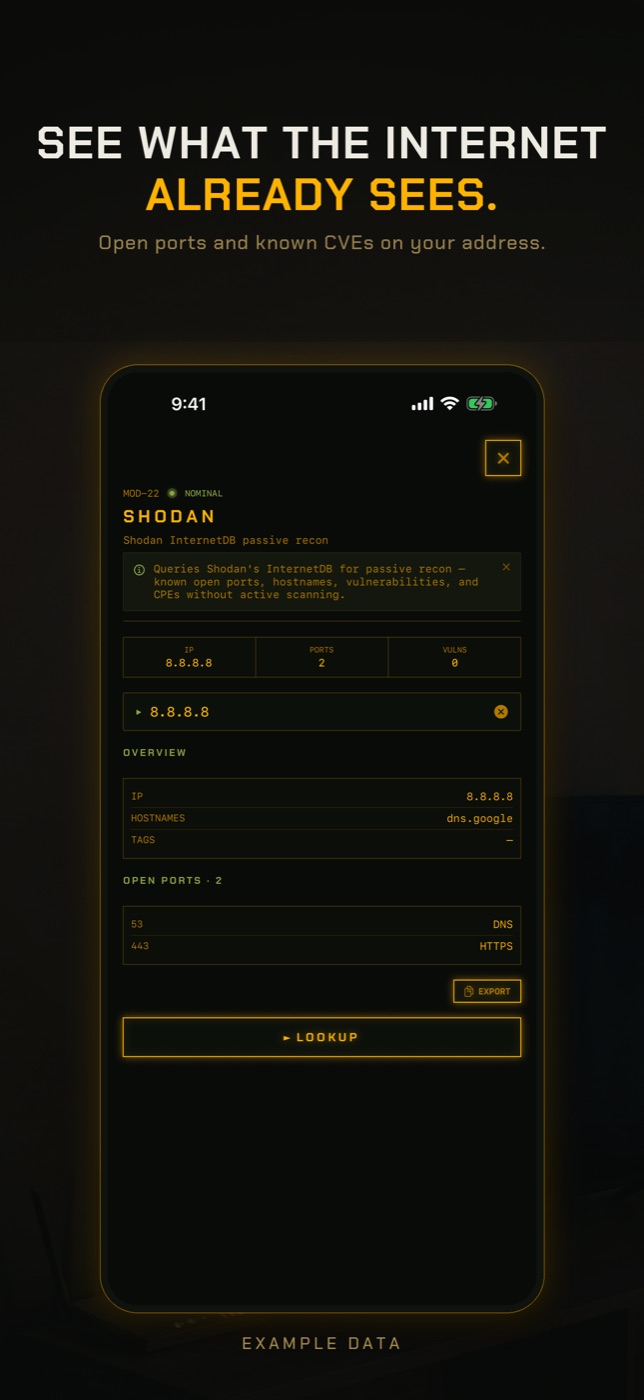
- Run Exposure Check. It looks up your network's public address in Shodan InternetDB, a record of what internet-wide scanners have seen, and lists any ports they found open, published vulnerabilities and hostnames. Port 554 is flagged by name because an open RTSP port is the usual way a camera ends up public. A Wyze camera using the standard app normally opens nothing to the internet. If you enabled RTSP and forwarded a port to it, this is where it would show.
- If Exposure Check says your address has never been scanned, read that literally: there is no record either way, which is not the same as nothing being open.
- Run New Device Check. The first run on a network only records a baseline of what answers, so it cannot find anything yet. Run it again later and it lists anything not seen before, matched by hardware address where it can, with the manufacturer the address is registered to.
- Open LAN Scan to find the camera's address and manufacturer, then Port Scan it to see whether it answers on 554 inside your network, which it will if RTSP is switched on.
The February 2024 Wyze incident
In February 2024 an Amazon Web Services outage took Wyze cameras offline for several hours. According to Wyze's own account, as devices came back online a third-party caching library it had recently added was overloaded and mixed up device and user data. For a short time, about 13,000 users were shown thumbnails from cameras that were not theirs in the Events tab, and around 1,500 of them tapped one. Wyze said live streams were not exposed, removed the Events tab while it investigated, and emailed affected customers.
Wyze had a smaller incident of the same kind in September 2023. Neither was an attacker breaking in; both were Wyze's servers showing data to the wrong accounts. If Wyze emailed you, your thumbnails were among those shown or you were shown someone else's. There is nothing to fix on your camera because of it.
The 2019 Wyze data exposure
In December 2019 Wyze confirmed that a database it used internally had been left accessible on the internet, exposing information about around 2.4 million users, including email addresses and device details. Wyze said passwords were not in it. It logged every user out and added security measures afterwards.
If your Wyze account dates from before 2019, the practical consequence is that your email address is known to belong to a Wyze customer. That makes you a better target for phishing and for password guessing, which two-step verification defends against.
Signs your own Wyze camera or account is compromised
Rule out other people in your household first, then look for:
- A sign-in or verification code email you did not request.
- Shared users or devices on the account you do not recognise.
- Events you did not trigger, or settings such as detection zones and notifications changed.
- A voice through the camera, or the camera moving on its own if it pans and tilts.
- An unfamiliar email or phone number on your Wyze account.
What to do
This works whether you were affected by an incident or are just checking:
- Change your Wyze password to one you do not use anywhere else.
- Turn on two-step verification in the Wyze app account settings, ideally with an authenticator app.
- Review your event history and shared users, and remove anyone you do not expect.
- Update camera firmware from the app. Retired models such as the original Wyze Cam v1 stopped receiving updates; in 2022 Bitdefender published flaws in the v1 that were never patched, so replace one if you still use it.
- Turn off UPnP on your router and remove port forwards you did not create.
How to check without an app
The direct evidence is in the Wyze app, your email and your router.
- Wyze app account settings: password, two-step verification and shared users.
- Wyze app Events tab: events and clips you cannot account for.
- Your email: any notice from Wyze about an incident affecting your account.
- Router admin page: port forwarding rules and UPnP. Turn UPnP off.
- Factory reset the camera only if you suspect the device itself, after securing the account.
What this cannot tell you
The Wyze incidents happened inside Wyze's cloud, which no scan of your home can reach.
- Whether your camera's thumbnails or videos were shown to another user in 2023 or 2024. Only Wyze knows, and it notified affected customers.
- Whether your data was in the 2019 database exposure.
- Who has signed in to your Wyze account or viewed your events.
- What the camera sends to Wyze's servers. That traffic is encrypted and does not pass through your phone.
- Whether a Wyze camera's firmware is current. Check that in the Wyze app.
Was Wyze hacked in 2024?
Not by an outside attacker. After an AWS outage in February 2024, a caching bug in Wyze's cloud showed about 13,000 users thumbnails from other people's cameras. Wyze said live streams were not exposed.
How do I know if my Wyze camera was affected?
Wyze emailed affected customers. Nothing you can check at home, including a network scan, can show whether your images were shown to someone else.
What was the Wyze breach in 2019?
In December 2019 Wyze confirmed an internal database had been exposed online, with details of around 2.4 million users. Wyze said passwords were not included.
Can someone hack my Wyze camera?
The realistic route is your account, through a reused or leaked password. Two-step verification and a unique password make that much harder. Keep firmware updated and retire unsupported models.
Should I stop using Wyze?
That is your call. What you control is the account: unique password, two-step verification, and not putting cameras where a leaked image would harm you.
Does Wyze have two-factor authentication?
Yes. Turn on two-step verification in the account settings of the Wyze app.
Everything above that needs a scan, the app does in one tap on the Wi-Fi you are on, and it says what it could not see. Get RECON for iPhone — one-time purchase, no account, nothing leaves the device.