Is my Ring camera hacked?
Almost every Ring camera reported as hacked was really a Ring account that someone signed into with a password reused from another site. Check Control Center for phones and shared users you do not recognise, change the password to one you use nowhere else, and keep two-step verification on. A camera compromised on your home network is possible but rare.
RECON cannot see inside your Ring account. What it can check is the network around the camera: whether anything in your home is reachable from the internet, and whether a device you do not recognise has joined your Wi-Fi.
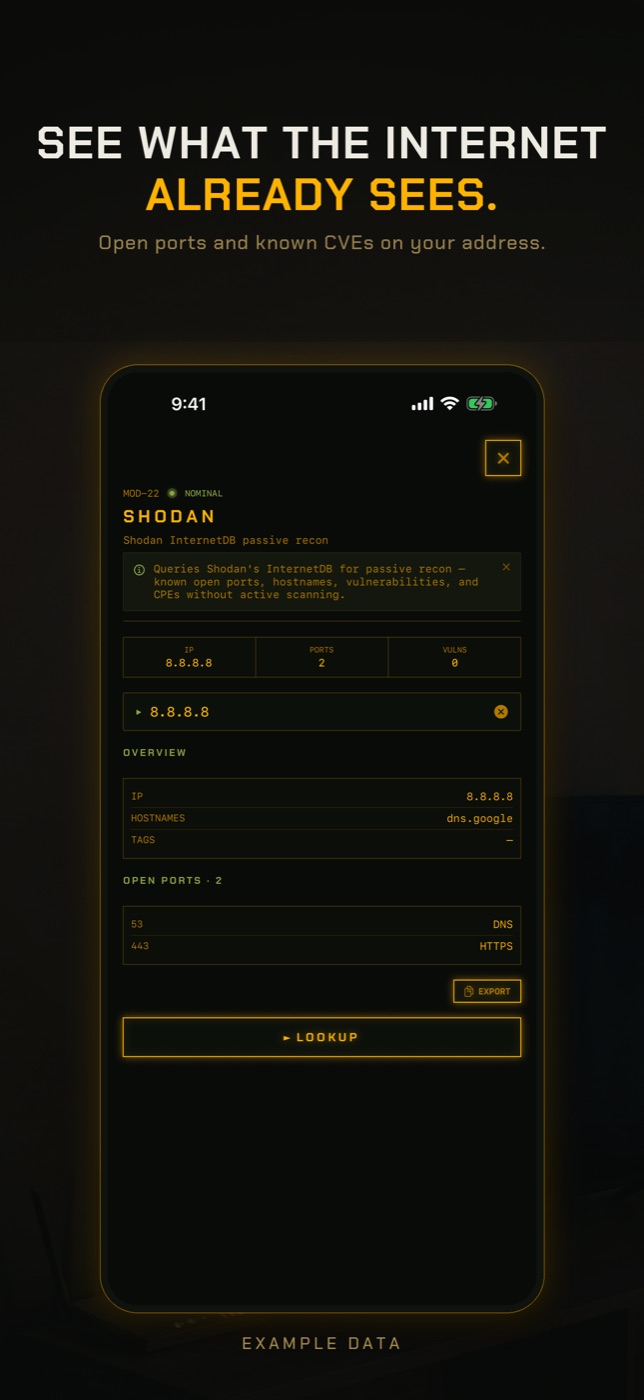
- Run Exposure Check. It looks up your network's public address in Shodan InternetDB, a record of what internet-wide scanners have seen, and lists any ports they found open, published vulnerabilities and hostnames. Port 554 is flagged by name because an open RTSP port is the usual way a camera ends up public. A Ring camera normally shows nothing here. An open port usually belongs to something else, such as a DVR, an NVR or a router admin page, and is worth tracking down.
- If Exposure Check says your address has never been scanned, read that literally: there is no record either way, which is not the same as nothing being open.
- Run New Device Check. The first run on a network only records a baseline of what answers, so it cannot find anything yet. Run it again later and it lists anything not seen before, matched by hardware address where it can, with the manufacturer the address is registered to.
- Open LAN Scan to find the Ring camera's own address and manufacturer, then run Port Scan on that address to see which ports it answers on inside your network.
What happened with Ring cameras in 2019
In December 2019 several families in the United States reported strangers talking to them through Ring indoor cameras. The most widely reported case was in Mississippi, where a voice spoke to an eight-year-old girl through the camera in her bedroom. Ring said its own systems had not been breached, and that is consistent with what happened: the attackers used credential stuffing. They took email and password pairs leaked from other websites and tried them against Ring's login until some worked. Reporters found thousands of Ring logins circulating online that month.
Ring responded by making two-step verification mandatory for every account in February 2020, adding login alerts, and launching a Control Center page that shows who has access. In 2023 the US Federal Trade Commission settled with Ring for $5.8 million over allegations that included not doing enough to stop credential stuffing before those changes, and giving employees and contractors too broad access to customer videos.
The lesson for you today is that nobody broke into the cameras. They logged in as the owner, with a password the owner had used somewhere else.
Signs your Ring account has been hacked
These point to someone else using your account. One of them on its own is worth checking; several together are worth acting on straight away.
- A shared user you did not invite, or an invite you did not send.
- A login alert email for a phone, tablet or browser that is not yours.
- A voice coming through the camera, or the siren going off, when nobody in your home did it.
- Live View or motion events in the history at times nobody in your household was using the app.
- Settings you did not change: motion zones off, privacy zones removed, notifications disabled, a new email or phone on the account.
- Password reset emails you did not request.
Check Ring Control Center
In the Ring app, open the menu and choose Control Center. Authorized Client Devices lists every phone, tablet and browser signed in to your account. Remove anything you do not recognise. If you are unsure, remove all of them and sign back in on your own devices, which is quick and ends any session you missed.
Shared Users shows everyone you have given access to. Remove anyone you do not expect. Then look at the linked or third-party services listed there, such as Alexa, and remove any you did not set up. Finally, confirm that two-step verification is on and that the email address and phone number on the account are yours, because whoever controls that email can reset the Ring password.
Hacked account versus hacked camera
A hacked account is the common case, and it gives the attacker everything the app gives you: live video, two-way talk and recorded history, from anywhere in the world. Nothing about your camera or your Wi-Fi changes, which is why a network scan will look normal.
A hacked device is different. It means someone attacked the camera itself, usually from your own Wi-Fi or through a firmware flaw. Ring cameras normally connect outward to Ring's servers and do not accept connections from the internet, so this route is rare. It matters more when someone already has your Wi-Fi password, or when your router has been set to forward ports to devices inside.
What to do right now
In this order:
- Change your Ring password to a long one you have never used anywhere else.
- Secure the email account tied to Ring, since it can reset everything.
- Remove unknown client devices and shared users in Control Center.
- Keep two-step verification on. An authenticator app is stronger than a text message.
- Change the same password on any other site where you reused it.
How to check without an app
Most of the real answer is in Ring's own app and your router.
- Ring app, Control Center: Authorized Client Devices, Shared Users, linked services and two-step verification.
- Your email inbox: search for Ring login alerts and password reset messages you did not trigger.
- Your router admin page: look for port forwarding rules pointing at the camera, and turn off UPnP so devices cannot open ports by themselves.
- If you still suspect the camera itself, secure the account first, then factory reset the camera following Ring's instructions for your model and set it up again. A reset does nothing for a compromised account.
What this cannot tell you
The question you are asking is mostly about your Ring account, and a phone on your Wi-Fi cannot see into it.
- Whether anyone else has signed in to your Ring account, from where or when. Only Control Center and Ring's login alerts show that.
- Whether someone watched Live View or spoke through the camera.
- What the camera sends to Ring. That traffic is encrypted and goes straight from the camera to the router; a phone on the same Wi-Fi cannot see it.
- Battery-powered Ring cameras that were asleep during the scan.
- Anything that changed since internet scanners last looked at your address, or findings that belong to another customer if your provider shares one address between many homes.
Can Ring cameras be hacked?
Yes, but almost always through the account rather than the camera. Someone who has your Ring email and password can watch and talk through the camera from anywhere. A unique password and two-step verification stop that.
How do I know if someone is watching my Ring camera?
Check Authorized Client Devices and Shared Users in Control Center, and your event history for Live View sessions you did not start. RECON cannot tell you; it has no view into your Ring account.
Did Ring get hacked in 2019?
Ring said its systems were not breached. Accounts were taken over using passwords leaked from other sites. Ring made two-step verification mandatory in February 2020.
Can someone talk through my Ring camera?
Anyone signed in to your account, or added as a shared user, can use two-way talk. If you hear a voice, change the password and remove unknown devices and users at once.
Does a factory reset fix a hacked Ring camera?
Not if the account was the problem, which is the usual case. Secure the account first. Reset the camera only if you still suspect the device itself.
Should I turn on end-to-end encryption on Ring?
Ring offers it on supported devices. It means only your enrolled phones can view recordings, at the cost of some features. It does not help if an attacker signs in as you on a new phone and you approve it.
Everything above that needs a scan, the app does in one tap on the Wi-Fi you are on, and it says what it could not see. Get RECON for iPhone — one-time purchase, no account, nothing leaves the device.