How to tell if your security camera is hacked
Check three places in order: the camera's account (sign-ins, shared users, history), the camera itself (movement, voices, lights, changed settings), and your network (open ports to the internet, devices you do not recognise). Most hacked cameras turn out to be hacked accounts, and the fix is a unique password with two-factor turned on.
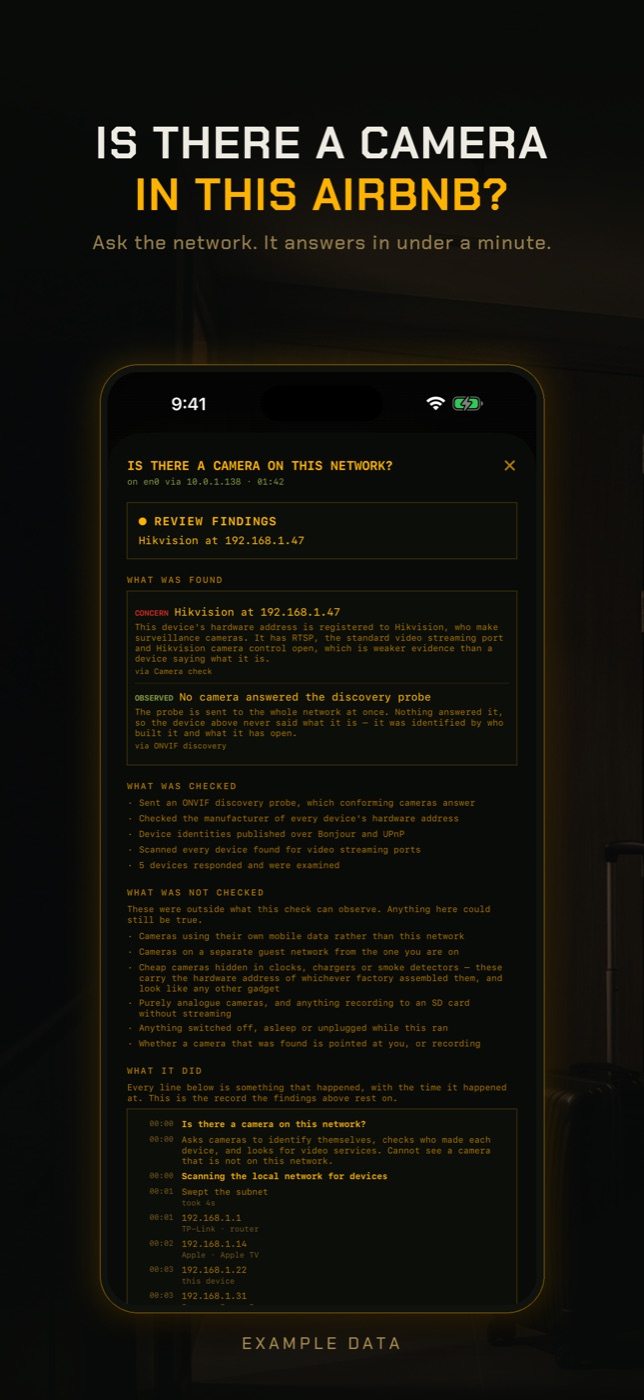
RECON covers the network part of the method. It cannot read your camera account, see who signed in, or see what a camera sends out.
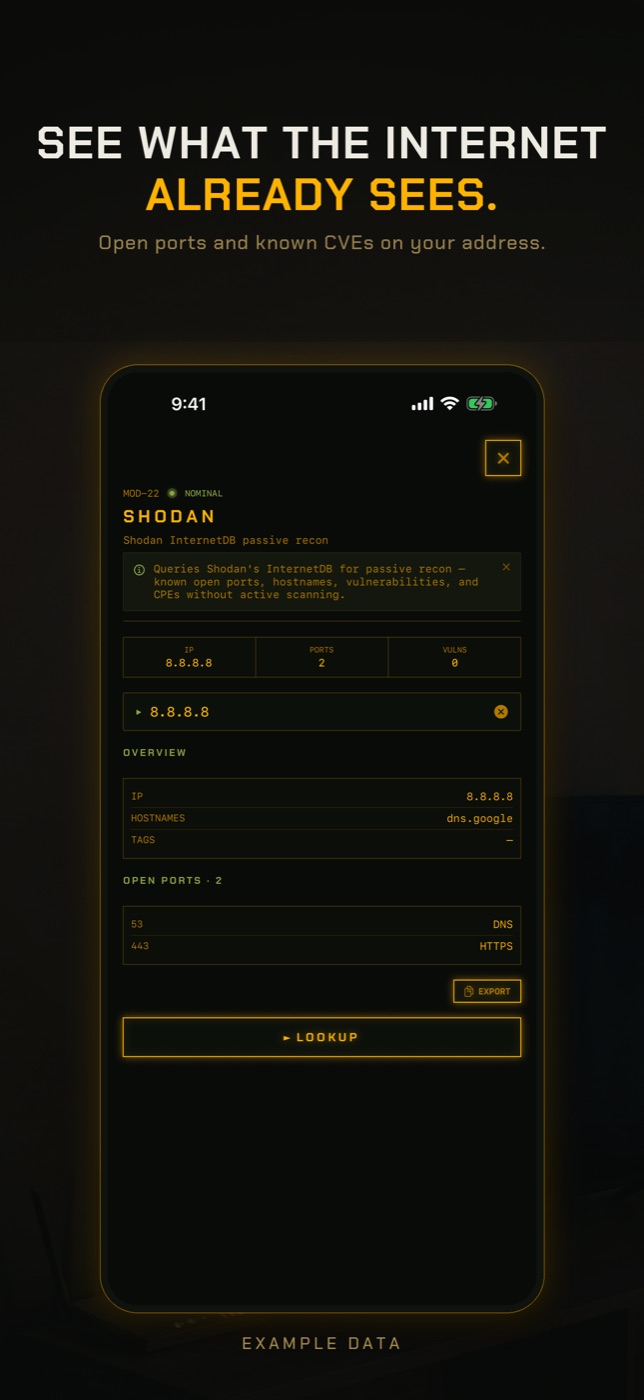
- Run Exposure Check. It looks up your network's public address in Shodan InternetDB, a record of what internet-wide scanners have seen, and lists any ports they found open, published vulnerabilities and hostnames. Port 554 is flagged by name because an open RTSP port is the usual way a camera ends up public. Ports such as 80, 443 or 8000 can belong to a camera, a recorder or the router itself, and Exposure Check does not say which device is responsible.
- If Exposure Check says your address has never been scanned, read that literally: there is no record either way, which is not the same as nothing being open.
- Run New Device Check. The first run on a network only records a baseline of what answers, so it cannot find anything yet. Run it again later and it lists anything not seen before, matched by hardware address where it can, with the manufacturer the address is registered to.
- Open LAN Scan to find each camera or recorder, its address and its manufacturer, then run Port Scan on it to see what it answers on inside your network. A web port means there is a login page, and its password is worth changing from the default.
The two ways a security camera gets hacked
Almost every camera sold for homes today is run through an app and the maker's cloud. If someone signs in to that account, they get everything you get: live video, recordings, two-way talk. This is by far the common case, and it is how the 2019 wave of Ring account takeovers worked, using passwords leaked from other sites.
The rarer case is an attack on the device itself. That usually needs the camera or recorder to be reachable from the internet through an open port, a default password left in place, or firmware with a known flaw that was never updated. Older NVRs and DVRs, and cheap cameras that serve RTSP video, are where this is most often found.
Account signs
Start here. The vendor app is the only place that records who signed in.
- Sign-in alerts or verification codes you did not request.
- Signed-in phones, tablets or browsers you do not recognise.
- Shared users you did not add, including former housemates or partners.
- Live view sessions, downloads or events nobody in the household accounts for.
- Changed email, phone number, detection zones or notification settings.
Device signs
These happen at the camera. Rule out someone at home using the app before reading anything into them.
- A voice or sound from the camera's speaker.
- A pan and tilt camera moving by itself.
- Status or infrared lights switching on when nobody is viewing.
- Settings, names or the admin password changed, or you are locked out.
- The camera rebooting or going offline repeatedly without a power or Wi-Fi problem.
Network signs, and the limit of what a phone can see
Two network questions can be answered from a phone. Is anything in your home reachable from the internet, and is there a device on your Wi-Fi you do not recognise? An exposed camera or recorder shows up as an open port on your public address, often 554 for video, 80 or 443 for a web login, or 8000 for Hikvision control. An unknown device shows up in a scan of your network.
The network sign people most often ask about is a camera sending video somewhere it should not. A phone cannot see that. On Wi-Fi, each device's traffic goes to the router, not through your phone, and it is encrypted anyway. Seeing it needs the router itself to show traffic per device, which some mesh systems and firewalls do.
Checklist to lock your cameras down
Do all of these, whatever you found:
- A unique password for every camera account, and for any NVR or camera admin page.
- Two-factor authentication on the camera account and on the email behind it.
- Firmware updated, and unsupported models replaced.
- UPnP turned off on your router, and port forwards to cameras removed.
- Cameras on a guest network, so a compromised camera cannot reach your laptops and phones.
- Indoor cameras pointed away from beds and bathrooms, or switched off when you are home.
How to check without an app
The account and router checks need no extra app.
- The camera vendor's app: signed-in devices, shared users, event history and two-factor settings.
- Your email: sign-in alerts and password reset messages.
- The router admin page: port forwarding rules and the UPnP table. Remove forwards you did not create and turn UPnP off.
- Factory reset a camera or recorder you believe was tampered with, after securing the account, then set it up again with a new password and current firmware.
What this cannot tell you
The network is one of three places to look, and a phone sees only part of it.
- Who has signed in to your camera account, or when. Only the vendor can see that.
- Whether someone is watching right now, or has been.
- Outbound traffic from a camera. It goes straight to the router, is encrypted, and never passes through your phone.
- Which device behind your public address owns an open port found by Exposure Check.
- Cameras that were asleep, on battery, on a separate guest network, or using mobile data during the scan.
- Whether a camera's password is still the default, or its firmware is current.
How do I know if my security camera is hacked?
Check the account for sign-ins and shared users you do not recognise, watch the camera for movement, voices or lights nobody explains, and check your network for open ports and unknown devices.
Can security cameras be hacked?
Yes. Usually through the account with a reused password, sometimes through an open port, a default password or old firmware.
Can I see if my camera is sending video somewhere else?
Not from a phone. That traffic goes from the camera to the router, encrypted. Some routers and firewalls show traffic per device; check yours.
Does a red or blue light mean my camera is hacked?
Not on its own. Many cameras light up when anyone views them, including people in your household. Compare against who was using the app.
Should cameras be on a guest network?
It helps. A camera on a guest network cannot reach your other devices if it is compromised, and most cloud cameras work normally there.
Will a factory reset remove a hacker?
It removes changes made to the device. It does nothing about someone who has your account password, so change that first.
Everything above that needs a scan, the app does in one tap on the Wi-Fi you are on, and it says what it could not see. Get RECON for iPhone — one-time purchase, no account, nothing leaves the device.