Can Blink cameras be hacked?
Yes, like any internet camera, but the realistic route is your account, not the camera. Whoever can sign in to your Blink or linked Amazon account sees what you see. Use a unique password, keep two-step verification on, and check which devices are signed in.
RECON cannot see your Blink or Amazon account. It can check the network the Sync Module sits on: what is reachable from the internet, and whether a device you do not recognise has joined.
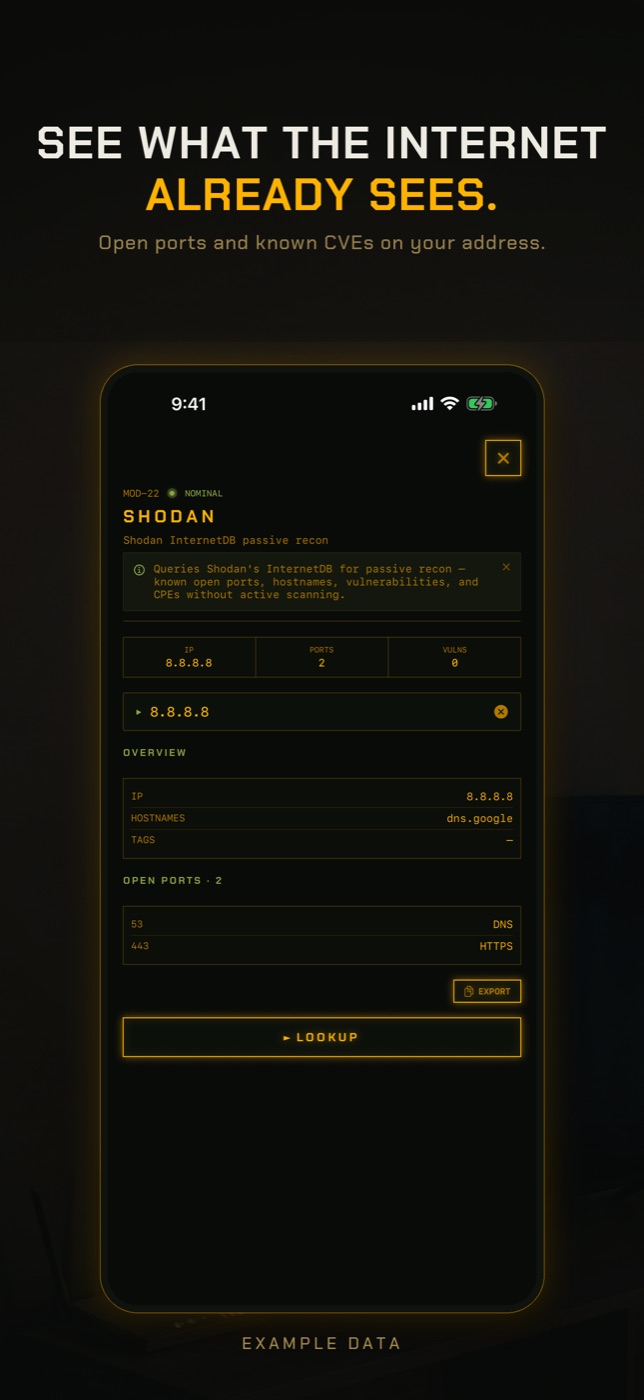
- Run Exposure Check. It looks up your network's public address in Shodan InternetDB, a record of what internet-wide scanners have seen, and lists any ports they found open, published vulnerabilities and hostnames. Port 554 is flagged by name because an open RTSP port is the usual way a camera ends up public. A Blink system normally opens nothing to the internet, so an open port points at another device on your network.
- If Exposure Check says your address has never been scanned, read that literally: there is no record either way, which is not the same as nothing being open.
- Run New Device Check. The first run on a network only records a baseline of what answers, so it cannot find anything yet. Run it again later and it lists anything not seen before, matched by hardware address where it can, with the manufacturer the address is registered to.
- Open LAN Scan to find the Sync Module's address and manufacturer. Battery cameras may not appear because they are asleep, which is normal.
How a Blink system is put together
Blink is owned by Amazon. A typical system is one or more battery cameras plus a Sync Module, a small box plugged in near your router. The cameras spend most of their time asleep to save battery. When they detect motion or you open Live View, they wake, connect, and send video to Blink's cloud, where the app picks it up.
The Sync Module is the part that lives permanently on your Wi-Fi. It coordinates the cameras, and on the Sync Module 2 it can store clips on a USB drive plugged into it. Like most consumer cameras, the system connects outward to Blink's servers rather than accepting connections from the internet.
The account is the front door
Everything you can do in the Blink app, anyone else signed in as you can do too: watch Live View, talk through cameras that support it, arm and disarm the system, and download clips. Many Blink accounts now sign in with an Amazon login, in which case your Amazon password and its two-step verification protect the cameras as well.
Blink sends a verification code when a new phone signs in, and offers two-step verification in its account settings. Keep both on. The weakness they guard against is the same one behind the 2019 Ring account takeovers: a password reused from another site that later leaked.
Signs your Blink cameras may be hacked
Check each against the people who share the account before treating it as a hack.
- A verification code or sign-in email you did not request. Someone may have your password.
- The system armed or disarmed when nobody at home did it.
- Live View sessions or clips viewed that nobody in the household accounts for.
- Cameras, schedules or motion settings changed.
- A camera's battery draining much faster than usual. Frequent Live View wakes the camera, though more motion outside causes this far more often.
- An unknown email address or phone number on your Blink or Amazon account.
What local storage does and does not change
Storing clips on a USB drive in the Sync Module 2 means you do not need a subscription, and the clips themselves sit in your home. It does not make the system offline. You still view those clips and Live View through the Blink app over the internet, so the account remains the thing to protect.
Local storage does add one physical risk: whoever takes the USB drive takes the clips. Keep the Sync Module somewhere it is not obvious or easy to unplug.
Has Blink hardware had security flaws?
Yes. In 2020 Tenable published several flaws in the Blink XT2 camera system, including the Sync Module, which Amazon patched with firmware updates. Blink installs firmware automatically, which is the main reason a device-level attack is a small risk for an up-to-date system compared with a reused password.
How to lock a Blink system down
Five steps, most of them one-time:
- Use a password for Blink, and for Amazon if linked, that you use nowhere else.
- Turn on two-step verification, and use an authenticator app where offered.
- Sign out of devices you no longer use and remove anyone you shared access with who should not have it.
- Put the Sync Module on a guest network if your router supports one, so a compromised device cannot reach your laptops and phones.
- Turn off UPnP on your router. Blink does not need it.
How to check without an app
The direct answers are in the Blink app, your Amazon account and your router.
- Blink app account settings: two-step verification, signed-in devices and account email.
- Amazon account, Login and Security, if Blink is linked: password, two-step verification and signed-in devices.
- Router admin page: check port forwarding rules and turn off UPnP.
- If you still suspect a device, secure the account first, then factory reset the Sync Module using its reset button and add it back in the app.
What this cannot tell you
A scan from your phone sees the network, not the Blink service that holds your video.
- Who has signed in to your Blink or Amazon account, or viewed your clips.
- Blink cameras that were asleep during the scan. Battery cameras only wake for motion or Live View, so they are usually missing from any network scan.
- What the Sync Module and cameras send to Blink. That traffic is encrypted and does not pass through your phone.
- Whether the clips on a Sync Module USB drive have been copied.
- Anything that changed since internet scanners last looked at your public address.
Can Blink cameras be hacked?
Yes, as any internet-connected camera can, but the likely route is someone signing in to your account with a leaked password. A unique password and two-step verification close that.
Can someone watch my Blink camera without me knowing?
Anyone signed in to your account can. Check signed-in devices in the Blink app and your Amazon account if linked. A network scan cannot see this.
Is Blink local storage more secure?
The clips stay in your home, but you still access them through the Blink app and the internet, so account security still decides who can see them.
Does Blink have two-factor authentication?
Yes. Blink sends a verification code for new sign-ins and offers two-step verification in its settings. If you sign in with Amazon, turn it on for your Amazon account too.
Why can I not see my Blink cameras in a network scan?
Battery Blink cameras sleep until motion or Live View wakes them. The Sync Module is the part that stays connected.
Everything above that needs a scan, the app does in one tap on the Wi-Fi you are on, and it says what it could not see. Get RECON for iPhone — one-time purchase, no account, nothing leaves the device.