Is hotel Wi-Fi safe?
Hotel Wi-Fi cannot read the content of sites you use over HTTPS, which today is nearly all of them, unless you click through a certificate warning. What a hostile or careless network can do is see which sites you visit, rewrite DNS lookups to send you to the wrong place, and track your devices. You can test a network for the specific signs of tampering, but no test can call a network safe.
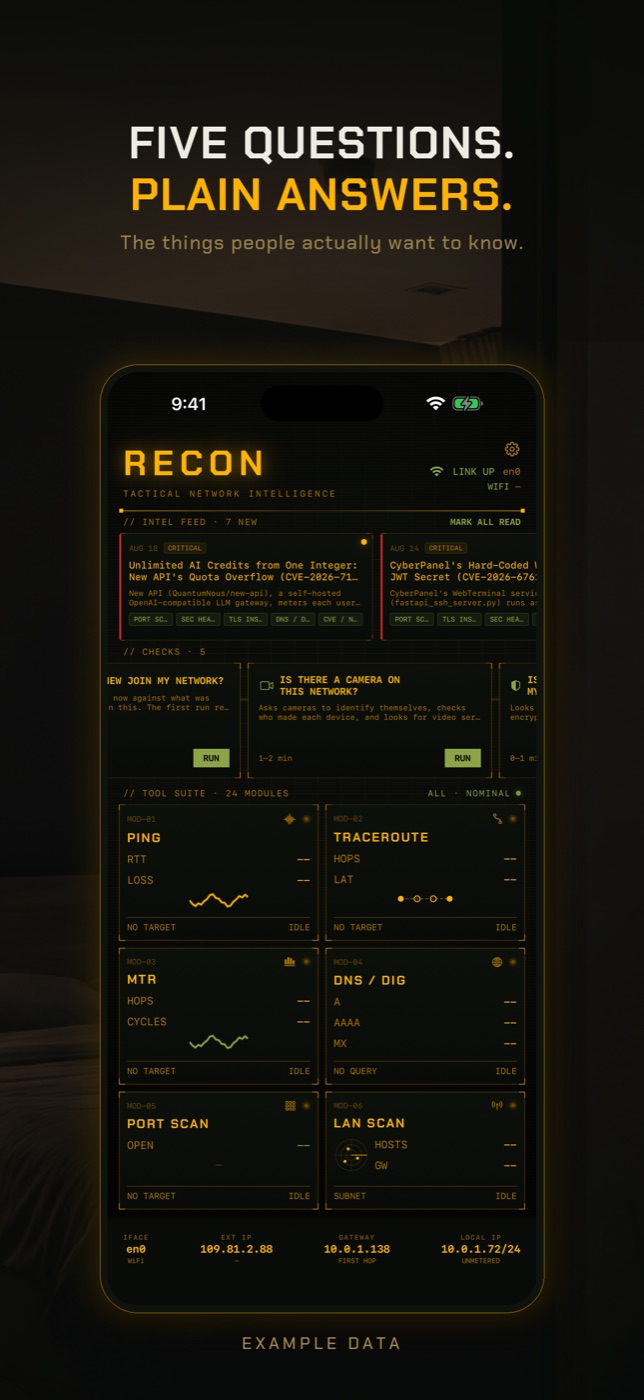
RECON's Tampering Check asks whether the network you are on is interfering with your traffic, in the specific ways that can be tested. It never reports a network as safe; it reports what it found and what it could not test.
- Join the Wi-Fi and complete any sign-in page first. Then tap RUN on Tampering Check in the checks row. It takes 30 to 60 seconds.
- It first checks for a captive portal by requesting a page whose contents are known in advance. If a sign-in page answers instead, it stops and tells you to sign in and run it again, because a portal would make every other test report interference.
- It finds the network's DNS server and asks it for a name that cannot exist. A resolver that returns an address anyway is rewriting failed lookups. It then compares the network's answer for a well-known name with Cloudflare and Quad9, and checks whether those public resolvers are reachable at all.
- It opens an encrypted connection to a well-known site and validates the certificate. A certificate that does not validate means something on the network is terminating and re-encrypting your connections.
- It also checks whether other devices on the network can reach yours, and says whether the network keeps guests apart or everything else was simply asleep, which it cannot tell apart.
What hotel and public Wi-Fi can do to your traffic
Whoever runs a network, or has broken into its router, sits between you and the internet. On hotel, café, airport and Airbnb Wi-Fi that person is a stranger, and most of the time they are not hostile, just careless: an unpatched router, a shared password printed on a card, and no separation between guests.
A captive portal is the login or terms page you see when you first join. To show it, the network intercepts your first connections and redirects them, which is technically the same thing an attacker does. It is expected, it goes away after you sign in, and it is the reason tests for tampering have to wait until you have logged in.
DNS hijacking is the network answering your name lookups with addresses of its choosing. Some providers and hotels do this to show adverts when you mistype a site name; an attacker does it to send you to a convincing copy of your bank's login page. A network can also block public resolvers so you cannot route around its own.
Tracking needs no attack at all. The network sees which devices are connected, when, and which site names they look up, unless that traffic is encrypted. That is how public Wi-Fi builds visitor analytics, and it is the main reason phones now use private Wi-Fi addresses.
What public Wi-Fi cannot do: read HTTPS
HTTPS encrypts the connection between your device and the website, and the website proves its identity with a certificate that your phone checks. To read that traffic, the network would have to replace the site's certificate with its own. Your browser and apps would then show a certificate warning or refuse to connect, and sites that use HSTS cannot be clicked through at all. That is TLS interception, and modern browsers refuse it unless you, or a device profile you installed, tell them to trust the network's certificate.
So on hotel Wi-Fi, your bank's app, your email and your messages stay private as long as you do not accept certificate warnings and do not install profiles a network asks you to install. What is left exposed is metadata: which sites you visit, when, and for how long.
Evil twin attacks and fake hotel networks
An evil twin is a network set up by someone else with the same or a similar name to the real one, such as Hotel_Guest next to Hotel Guest. Phones join whichever is stronger, and once you are on it, the attacker is the network, with every ability described above. The defence is the same as for any untrusted network: ask staff for the exact name, look for certificate warnings, and treat a network that asks you to install anything as hostile.
Do you need a VPN on hotel Wi-Fi?
A VPN wraps all your traffic, including DNS lookups, in an encrypted tunnel to the VPN provider, so the hotel network sees only that you are connected to a VPN. It fixes DNS hijacking and hides which sites you visit from the network. It does not make an unsafe site safe, and it moves your trust from the hotel to the VPN company, so choose one you would trust with that. For banking or anything sensitive, your phone's mobile data is usually the simpler choice.
How to check without an app
Most of what keeps you safe on public Wi-Fi is habit rather than testing.
- Confirm the exact network name with staff before joining, and be wary of two similar names.
- Check the padlock and the certificate. In Safari a certificate warning on a site you use every day is a reason to disconnect, not to tap through. You can inspect a certificate in detail with the certificate decoder tool.
- Never install a configuration profile or certificate that a Wi-Fi network or its sign-in page asks you to install.
- Use a VPN you trust on networks you do not control, or use encrypted DNS. iPhone has no single switch for DNS over HTTPS, but iCloud Private Relay encrypts DNS for Safari, and providers such as Cloudflare offer an app or profile that encrypts it for the whole device. On Android, set Private DNS in network settings.
- Prefer mobile data for banking, payments and anything you would not want a stranger to see the name of.
- Run the DNS leak test to see which resolver is actually answering your lookups, and whether your VPN or encrypted DNS is being used.
What this cannot tell you
A test of a network describes that network at that moment. On hotel Wi-Fi in particular, that is a narrow claim.
- It tests the network at the moment you run it. An attack that starts later, a router compromised overnight, or an evil twin that appears after you move rooms will not show in an earlier result.
- Before you sign in, a captive portal and an attacker look identical, because both intercept your connections. The check refuses to judge until you are past the portal, and it cannot tell you whether the portal itself is genuine.
- It cannot see logging. A network that records every site name you look up leaves no trace you can probe for.
- On many hotel networks the DNS server cannot be identified from an iPhone. When that happens the DNS rewriting tests do not run, and the result says that part is unanswered rather than calling it clean.
- It tests this device's connections only, for a sample of names and one well-known site. Rewriting aimed at specific sites, such as one bank, would not show unless those sites were tested.
- It cannot tell you whether you are on the hotel's real network or an evil twin with the same name. Both are just the network you joined.
Is hotel Wi-Fi safe for banking?
Your bank's app and website use HTTPS, so the network cannot read what you send unless you accept a certificate warning. The network can still see that you visited the bank. Mobile data or a trusted VPN removes even that.
Can hotel Wi-Fi see my browsing history?
It can see which sites you connect to, from DNS lookups and connection metadata, but not the pages or content on HTTPS sites. A VPN or encrypted DNS hides the site names from the network.
What is DNS hijacking?
It is a network or attacker answering your name lookups with addresses of its choosing, either to show adverts for mistyped names or to send you to a fake copy of a real site. Asking the network for a name that cannot exist is a simple way to spot the first kind.
How do I detect a man in the middle attack?
The visible sign is a certificate warning on a site you normally use without one. Testing whether the network rewrites DNS answers and whether a well-known site's certificate validates catches the common forms. Nothing detects an attacker who is only watching metadata.
Do I need a VPN on hotel Wi-Fi?
It is a good idea on networks you do not control. It hides your DNS lookups and the sites you visit from the network and stops DNS hijacking. It does not replace watching for certificate warnings.
What is an evil twin attack?
A fake Wi-Fi network with the same or a similar name as a real one, set up so devices join it instead. Whoever runs it controls your DNS and sees your traffic metadata. Confirm the network name with staff.
Is Airbnb Wi-Fi safe?
It is a stranger's home router, often with default settings and no separation between guests and the host's own devices. Treat it like any public network and, if you are also worried about cameras, see the hidden camera guide.
Everything above that needs a scan, the app does in one tap on the Wi-Fi you are on, and it says what it could not see. Get RECON for iPhone — one-time purchase, no account, nothing leaves the device.